

Searching for a free countdown timer for email is the most common starting point for marketers adding urgency to their campaigns. The good news: genuinely free options exist, and some of them are good enough to start with. The important news: "free" means different things depending on the tool, and the limitations of most free timers become visible as soon as you move beyond a single test campaign.
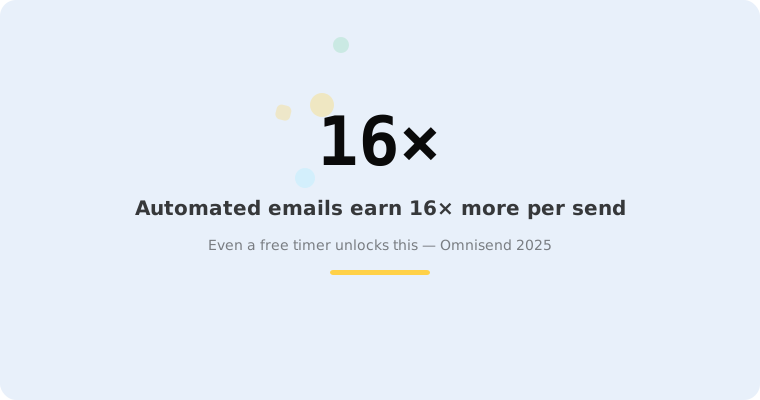
Understanding what you're getting — and what you're giving up — matters because the stakes are real. According to Omnisend's 2025 benchmarks, automated emails with urgency elements generate $2.87 per email versus $0.18 for standard campaigns — a 16× difference. A free timer that works well can unlock that value. A free timer that breaks mid-campaign (frozen at 00:00:00, no expiry state, branding over your design) can undermine it.
This guide covers what free countdown timer tools actually give you, what they don't, and how to decide when it's time to upgrade — so you don't discover the limitations mid-campaign.
What "free" typically means for email timers
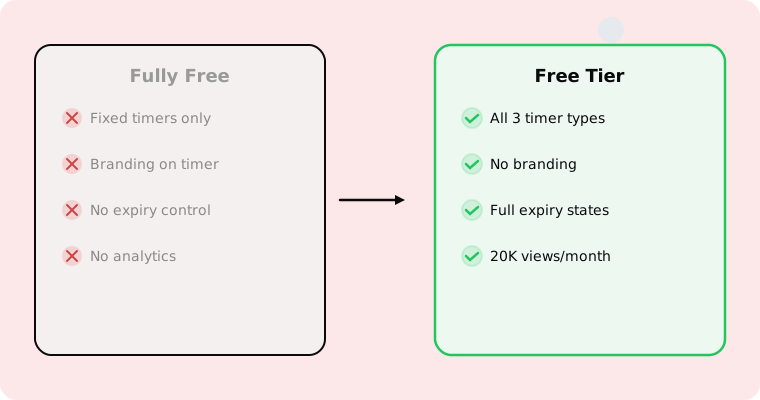
Free email countdown timer tools generally fall into two categories:
Completely free generators
Tools like Sendtric where the entire product is free. No signup, no account, no payment ever. You get a basic fixed-deadline timer with minimal customisation. The trade-off is typically: limited design options, no evergreen or recurring timers, no expiry state handling, no analytics, and the timer may display the tool's branding. For a deeper look at this category, see our Sendtric comparison.
Free tiers on paid platforms
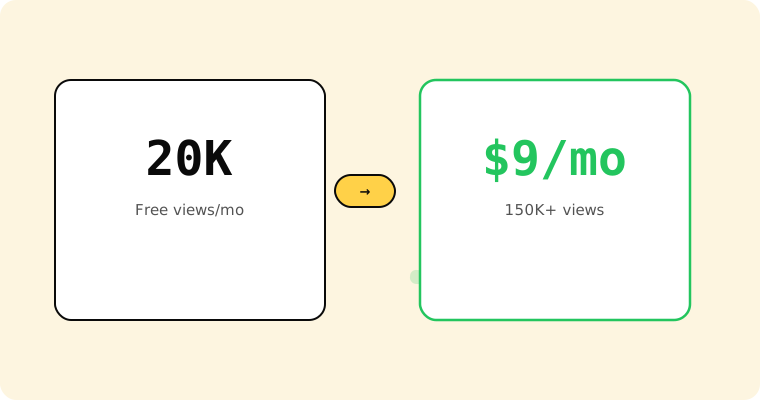
Tools that offer a free plan with limited usage alongside paid plans with more features. This is what Tickvio offers: 20,000 views per month on the free plan, with all three timer types (fixed, evergreen, recurring), configurable expiry states, full design customisation, and no third-party branding.
The key difference: free-tier platforms give you the full feature set with a usage limit, while completely free generators give you unlimited usage with feature limits. Which matters more depends on your volume and use case.
What free timers typically lack (and why it matters)
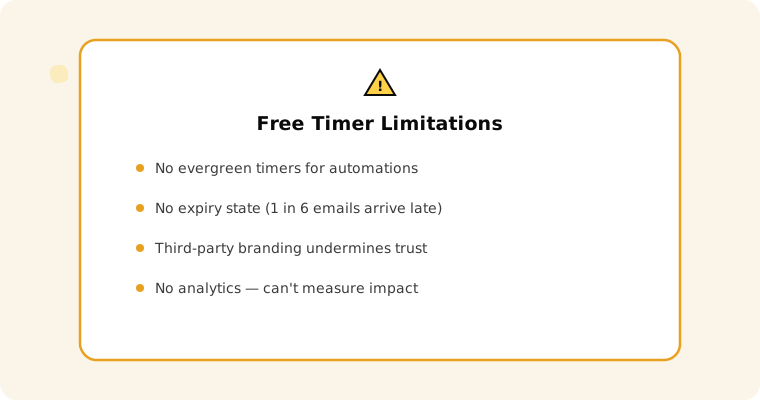
No evergreen timers
Most completely free tools only support fixed-deadline timers — everyone counts down to the same shared deadline. This means they don't work for the highest-ROI use case: automated flows. According to Omnisend, automated emails drive 30% of all email revenue from just 2% of volume. Welcome series, cart abandonment, trial expiry, and post-purchase upsells all require per-recipient deadlines.
No expiry state control
What happens when a subscriber opens the email after the deadline? According to Litmus research, 1 in 6 marketing emails never reach the inbox on time. Without expiry state control, late openers see a frozen 00:00:00 timer with an active CTA linking to a dead page. That's 10–30% of your opens resulting in a poor experience. See our post-expiry guide.
Third-party branding
Free generators typically display the tool's logo on or below the timer image. For brands investing in email design consistency, this undermines the professional appearance and can reduce subscriber trust. According to OptinMonster research, 59% of consumers say marketing emails influence their purchase decisions — and professional presentation is part of that influence.
Limited design control
Basic colour pickers without font control, sizing options, dark mode support, or background customisation. Since 55% of email opens happen on mobile and dark mode adoption continues to grow, design flexibility isn't a luxury — it's a readability requirement. See our inbox support guide.
No analytics
You can't improve what you can't measure. Free generators typically offer no view counts, click tracking, or integration with ESP conversion data. This makes A/B testing and measurement impossible — you're guessing whether the timer helped.
When a free timer is good enough
A free fixed-deadline timer works fine for testing whether countdown timers are worth adding to your email programme. Use a free timer for a single flash sale or seasonal campaign, compare the results to a non-timer campaign, and decide based on data.
If CTR and conversion lift are meaningful (and the average email click rate is just 2.09% across all industries per MailerLite's 2025 benchmarks, so even a modest lift is noticeable), you've validated the tactic and can invest in a tool that supports the full strategy.
When to upgrade
Upgrade from a completely free timer when any of these apply:
You need evergreen timers for automations. Welcome series, cart abandonment (where emails achieve 39.07% open rates and 23.33% CTR per Analyzify), trial expiry, and re-engagement flows all require per-recipient deadlines.
You need post-expiry handling. If late openers see frozen 00:00:00 timers, your subscriber experience is suffering.
Third-party branding is undermining your design. Professional email marketing requires visual consistency.
You need analytics. You can't justify the investment in countdown timers — or optimise your approach — without data.
You're running recurring promotions. Weekly or monthly deals need timers that auto-reset. Manually creating a new timer each cycle is unsustainable.
What Tickvio's free plan includes
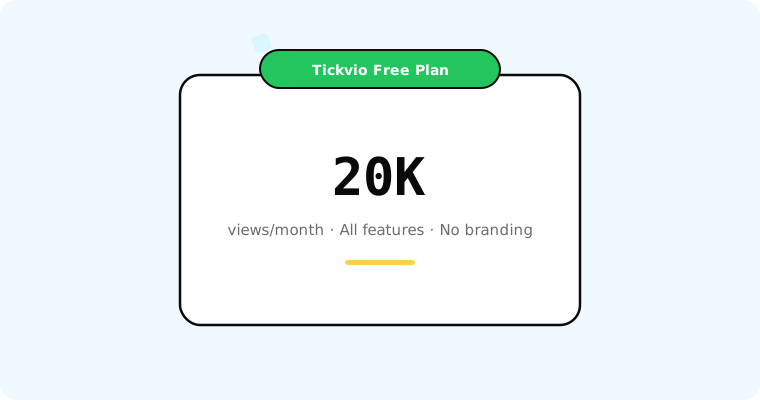
Tickvio's free plan bridges the gap between completely free generators and expensive paid platforms:
20,000 views per month — enough for most small and mid-size email programmes.
All three timer types: Fixed deadline, evergreen, and recurring. No feature gating.
Full expiry state control: Replacement images, alternative CTAs, redirect URLs. See our post-expiry guide.
No branding: No watermarks, no third-party logos.
Full design customisation: Colours, fonts, sizes, backgrounds, dark mode support.
Works with any ESP: Klaviyo, Mailchimp, ActiveCampaign, HubSpot, and 50+ more.
When you outgrow 20,000 views, paid plans start at $9/month for 150,000+ views with advanced analytics and priority support.
Get started
Create a free countdown timer — no credit card required. Set your deadline, customise the design, configure the expiry state, and paste the image URL into your email template. If it works (and the data says it usually does), you've added one of the highest-ROI elements in email marketing. If it doesn't work for your audience, you'll know within one campaign — at zero cost.