

A flash sale timer is straightforward: everyone has the same deadline, and when it’s over, it’s over. But what about automated flows — welcome sequences, cart abandonment, trial expiry reminders — where there’s no shared deadline?
That’s where evergreen countdown timers come in. An evergreen timer creates a unique, per-recipient deadline based on when each individual triggers a specific action. "Your 20% welcome offer expires in 48 hours" — and those 48 hours start from the moment that specific subscriber entered the flow.
Evergreen timers are one of the highest-converting tools in email marketing. According to Omnisend’s 2025 benchmarks, automated emails — the type that uses evergreen timers — accounted for just 2% of email volume but drove 30% of all email-generated revenue, earning 16× more per send than scheduled campaigns. Evergreen timers amplify this by adding visible, personal urgency to every automated touchpoint.
But they’re also one of the most abused timer types. This guide covers how to use them effectively and ethically, as part of our broader email countdown timer strategy.
What "evergreen" means in email
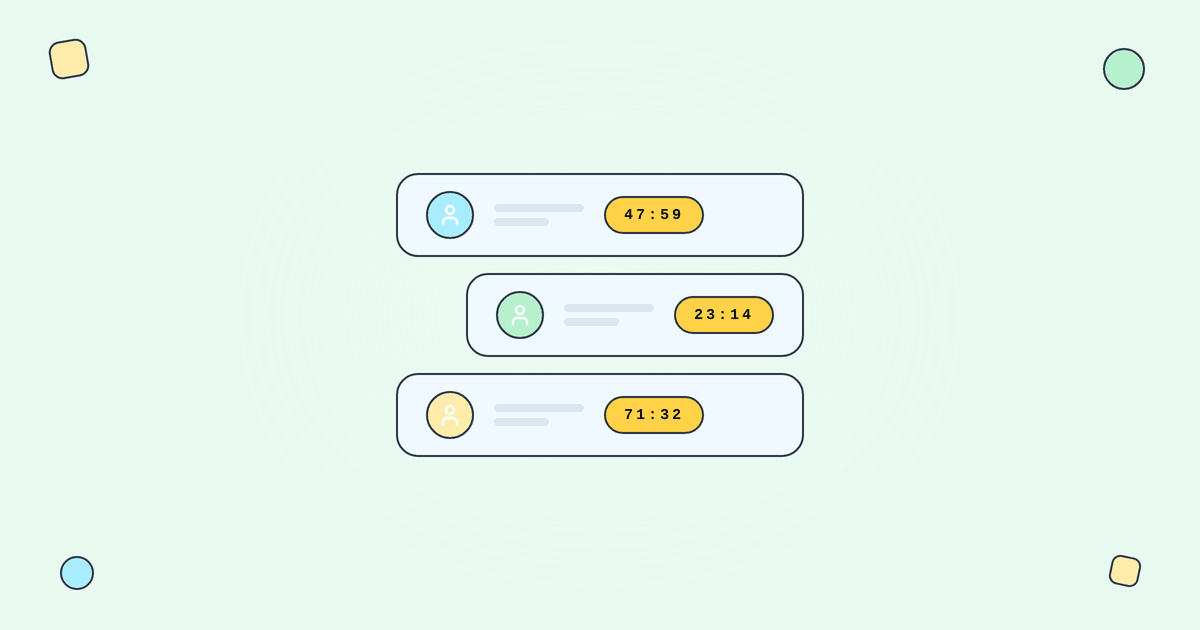
An evergreen timer doesn’t count down to a fixed calendar date. Instead, it counts down to a relative deadline — a window of time that starts when the recipient takes a specific action.
The mechanics:
Step 1: A subscriber enters an automation flow (signs up, abandons a cart, starts a trial).
Step 2: The flow triggers an email containing a timer that starts counting down from that moment — say, 48 hours.
Step 3: When the subscriber opens the email, the timer shows the actual time remaining in their personal window.
Step 4: After 48 hours, the offer expires for that specific recipient.
Each subscriber gets their own countdown. Someone who signs up on Monday gets a Monday-to-Wednesday window. Someone who signs up on Thursday gets Thursday-to-Saturday. Tickvio’s evergreen timer feature handles the per-recipient calculation automatically.
Per-recipient deadlines vs fake urgency
The line between legitimate personalised urgency and fake urgency is enforcement. This is the single most important concept in evergreen timer strategy.
Legitimate evergreen urgency: "Here’s a 15% discount that expires 72 hours after you sign up. After that, it’s full price." The code actually expires. The subscriber who tries it 73 hours later gets an error. The expiry state shows "Your offer has expired."
Fake evergreen urgency: "FINAL HOURS!" timer in every email of a 10-email flow, all pointing to the same always-on discount that never actually ends. The subscriber uses the code a week later — it works fine. They’ve learned that your deadlines are theatrical.
According to OptinMonster research, 59% of consumers say marketing emails influence their purchase decisions. That influence depends on trust — and fake evergreen timers destroy trust faster than any other email tactic because the deception is personally targeted, not just broadly misleading.
Where evergreen timers fit
Evergreen timers belong in automated flows, not broadcast campaigns. Specifically:
Welcome series: "Your signup discount expires in 48 hours." Welcome emails achieve 83.6% average open rates according to GetResponse benchmarks. Adding a personalised timer to this high-attention moment creates the strongest possible conversion window.
Cart abandonment: "The items in your cart are held for 24 hours." Cart abandonment emails achieve 39.07% open rates and 23.33% CTR according to Analyzify’s 2024 data. An evergreen timer makes the reservation window visible and personal.
Trial expiry: "Your free trial ends in 3 days." The timer counts down to each user’s personal trial end date.
Post-purchase upsells: "Add this accessory at 25% off — offer expires in 24 hours." The window starts at checkout.
Re-engagement/win-back: "Your exclusive 20% off expires in 72 hours." According to Omeda’s research, only 33% of any list’s audience actively engaged in the last 12 months — a personal timer gives dormant subscribers a concrete window to return.
Membership renewal: "Your plan expires in 7 days." Each member has their own renewal date.
The enforcement checklist
This is non-negotiable. If the evergreen deadline isn’t enforced, the timer is decoration — and subscribers will discover this quickly.
1. Discount code expires programmatically. The code must stop working at the exact moment the timer hits zero. Not "sometime later" — at the same moment. If your e-commerce platform supports auto-expiring unique codes, use them. If not, build the expiration logic in your backend.
2. Timer shows an expiry state. When the deadline passes, the timer image should switch from the countdown to a clear "This offer has expired" message. Configure this in Tickvio during timer creation. See our post-expiry guide for strategies.
3. Landing page reflects the deadline. If the email says "6 hours left," the landing page should show the same or similar deadline. After expiry, the landing page should show "Offer ended" rather than the original promotion.
4. Subsequent emails don’t undermine the deadline. If Email 1 says "48-hour window" and Email 3 (sent a week later) offers the same discount, you’ve just taught the subscriber that the evergreen deadline was fake. Post-expiry emails should shift to non-discount content.
Choosing the right window length
The window length depends on the use case and the decision complexity:
24 hours: Cart reservation, post-purchase upsells. Low-complexity decisions where the subscriber has already shown intent.
48 hours: Welcome discounts, flash incentives. The standard window for most evergreen campaigns. Long enough for the subscriber to see two emails in the flow; short enough to feel urgent.
72 hours: Win-back offers, higher-consideration purchases. Gives dormant subscribers enough time to re-engage without feeling rushed.
7 days: Trial expiry, membership renewal. Matches the natural decision timeline for subscription and commitment decisions.
Common mistakes
Non-expiring discount codes. The most common and most damaging mistake. If the code works forever, the timer is theatre. Subscribers who test the code after expiry and find it still works will never take your timers seriously again.
Same evergreen timer in every flow email. If your 5-email welcome flow has a 48-hour timer in all 5 emails, and the flow runs over 2 weeks, emails 3–5 are showing expired timers. Use the timer in the first 1–2 emails only, then shift to non-timer content.
No expiry state. Late openers see a frozen 00:00:00. Configure a replacement image. See our post-expiry guide.
Stacking multiple evergreen offers. Subscriber gets a 48-hour welcome discount, then a 24-hour browse abandonment offer, then a 72-hour re-engagement offer — all within a month. Each one erodes the credibility of the next. Space them out and use them sparingly.
What to measure
Conversion rate within the window: What percentage of subscribers take action before the timer expires? This is the primary success metric.
Post-expiry conversion: Do subscribers purchase after the timer expires at full price? If yes, the timer is creating urgency without creating dependency. If no one buys after expiry, the timer may be the sole purchase motivator — which means the product or offer isn’t compelling enough on its own.
Discount code usage after expiry: The enforcement audit metric. If codes are used after the timer hits zero, your enforcement has a gap.
Flow completion rate: Are subscribers engaging with the emails that come after the timer expires? If everyone drops off after the timer, the flow needs non-timer content that’s compelling on its own.
For the complete measurement framework, see our analytics and A/B testing guide.
ESP setup
Evergreen timers work within any ESP’s automation/flow builder. Embed the timer URL in the email template that gets triggered by the subscriber’s action. For platform-specific instructions, see our guides for Klaviyo, Mailchimp, ActiveCampaign, HubSpot, and all supported integrations.
Get started
Create a free evergreen timer — set the window (24, 48, or 72 hours), customise the design, configure the expiry state, and embed in your automation. Each subscriber gets their own personal countdown. One URL, millions of unique deadlines. No credit card required.