

HubSpot's marketing platform combines CRM data with email automation, making it uniquely positioned for personalised countdown timer strategies. Whether you're running a campaign to your full contact list or a workflow triggered by lifecycle stage changes, a countdown timer adds visible urgency that drives action.
This guide covers how to add countdown timers to HubSpot emails and workflows, which timer types to use for different HubSpot features, and CRM-specific strategies that other ESPs can't match.
For the full strategic foundation, see our complete countdown timer guide.
How it works: the 2-minute setup
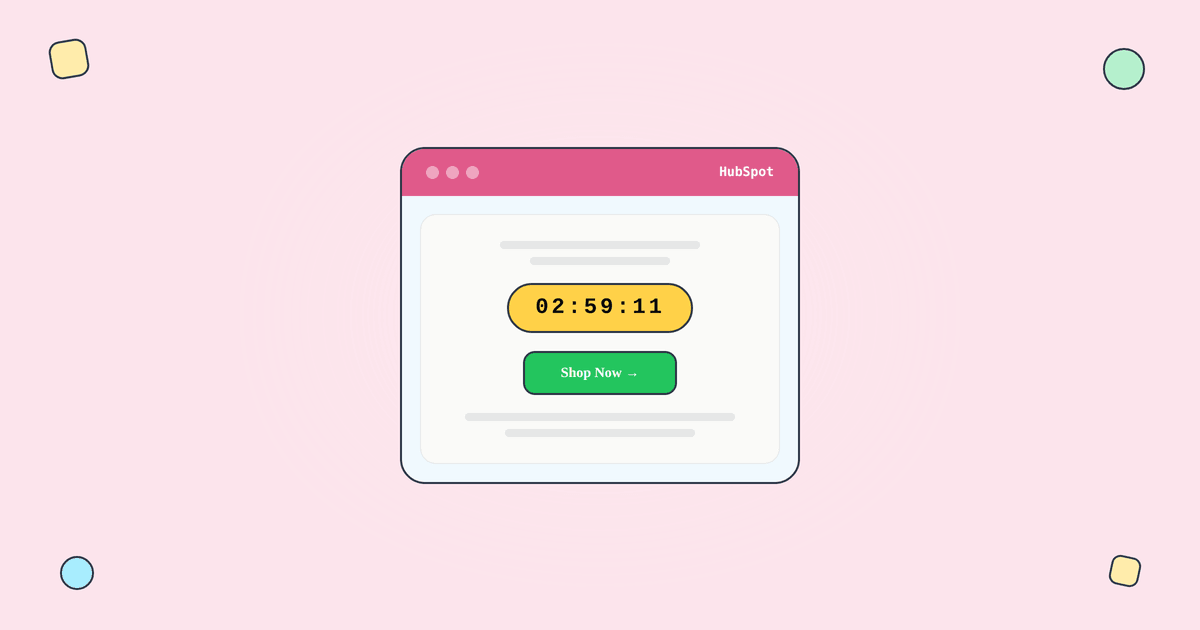
A countdown timer in a HubSpot email is an image URL. Here's the process:
Step 1: Create a timer in Tickvio. Choose your timer type (fixed deadline, evergreen, or recurring), set the deadline, and customise the design to match your brand.
Step 2: Copy the image URL.
Step 3: In HubSpot's email editor, add an Image module and paste the Tickvio image URL. Alternatively, use a Custom HTML module for the embed code.
Step 4: Send a test email to verify rendering.
When a contact opens the email, their email client requests the timer image from Tickvio's server. The server calculates the remaining time and returns a fresh animated GIF showing the live countdown.
Which timer type for which HubSpot feature
Fixed deadline timers for marketing emails
Use fixed-deadline timers for HubSpot marketing emails (broadcasts) where all contacts share the same deadline: seasonal promotions, webinar registrations, product launches, and company events.
Evergreen timers for workflows
HubSpot workflows are where countdown timers deliver the highest ROI. Use evergreen timers for per-contact deadlines in automated sequences:
Trial expiry: "Your free trial ends in 3 days." HubSpot's CRM tracks trial start dates — trigger the workflow when the trial period approaches its end, and the evergreen timer shows each contact their personal countdown.
Membership/subscription renewal: "Your plan expires in 7 days." Each contact has their own renewal date stored in the CRM.
Post-purchase upsells: "Add this at 25% off — offer expires in 24 hours." Triggered by deal close events.
HubSpot's unique advantage is the depth of CRM data available for workflow triggers. You can start evergreen timer sequences based on deal stage changes, lifecycle stage transitions, form submissions, or custom property updates — giving you more precise timing than ESPs that only trigger on email events.
Recurring timers
For monthly webinar promotions or quarterly renewal campaigns, recurring timers auto-reset without manual intervention.
HubSpot-specific strategies
CRM-powered segmentation
HubSpot's CRM data enables timer strategies other ESPs can't match. Use contact properties to segment who sees timers: show more aggressive countdowns to contacts in the "Opportunity" lifecycle stage, while using softer messaging for "Subscriber" stage contacts. Personalise the timer's context based on deal amount, product interest, or engagement score.
Smart content with timers
HubSpot's smart content feature lets you show different email content to different segments. Combine this with countdown timers: show the timer to contacts who haven't purchased, and show a "Thank you" message to those who already converted.
Workflow timing considerations
HubSpot workflows have enrollment triggers and time delays between steps. If your evergreen timer starts from the enrollment trigger, factor in the delay before the timer email sends. Set the timer window slightly longer than the intended offer period.
Attribution and reporting
HubSpot's attribution reporting can track revenue from timer-containing emails back to specific campaigns and workflows. Use this alongside Tickvio's view analytics to get the complete picture. See our measurement guide for the full framework.
Expiry state configuration
According to Litmus research, 1 in 6 marketing emails never reach the inbox on time. Configure a clear expiry state in Tickvio — especially important for HubSpot workflows where contacts may open emails days after they were sent.
HubSpot integration
Tickvio integrates with HubSpot via the HubSpot integration. The timer works as a standard image URL in any HubSpot email template, whether you're using the drag-and-drop editor or custom HTML templates.
Deliverability
HubSpot has strong sending infrastructure with dedicated IP options for higher-volume senders. The timer adds a single external image request served from Tickvio's high-reputation CDN. Follow our deliverability guide and best practices for frequency and placement.
A worked example: a workflow-triggered upgrade offer
HubSpot's strength is CRM data, so pair it with an evergreen timer. Build a Tickvio evergreen timer for a 48-hour upgrade window and copy the image URL. In a HubSpot workflow email — say, one that fires when a contact reaches a lifecycle stage of "Sales Qualified Lead" — add an image module above the CTA and paste the URL. Each contact now sees a personal 48-hour countdown from their first open, tied to exactly the moment they became relevant, not a generic broadcast date.
Combine that with HubSpot's smart content: show the timer only to the segment where urgency makes sense. For the full setup, see the HubSpot integration guide.
Common mistakes to avoid
- Fixed dates in evergreen workflows. Workflows enroll contacts continuously; a fixed date expires. Use an evergreen timer for behavior- or lifecycle-triggered sends.
- Ignoring smart content. Don't show an urgency timer to contacts who just purchased. Use HubSpot smart rules to target the right segment.
- Timer duration vs. workflow delay mismatch. Align the timer's remaining time with any delay steps so the deadline is accurate on open.
- No plan for the expired state. Set a post-deadline image so a late opener sees a clean message, not a zeroed clock with no context.
Frequently asked questions
Does HubSpot have a built-in countdown timer?
HubSpot does not include a native live countdown timer in its email editor. You add one by embedding an image URL from a tool like Tickvio, which works in marketing emails and workflow emails with no code.
Can I use a countdown timer in a HubSpot workflow?
Yes. Evergreen timers are ideal for workflows — each contact gets a personal countdown from their first open, which fits lifecycle-triggered offers, onboarding, and re-engagement sequences.
Do timers work with HubSpot smart content?
Yes. Because the timer is an image URL, you can place it inside a smart content module and show it only to the segments where urgency is relevant.
Is there a free plan?
Yes — Tickvio's free plan includes 20,000 views a month, and paid plans start at $9/mo for evergreen and recurring modes plus full analytics.
Get started
Create a free countdown timer and embed it in your next HubSpot email or workflow. Fixed, evergreen, or recurring — all timer types work with HubSpot. No credit card required.