

Choosing a countdown timer tool for email shouldn’t take longer than building the timer itself. But with dozens of options — from free generators to enterprise platforms — the differences aren’t always obvious from a features page.
This comparison breaks down what actually matters when selecting an email countdown timer tool in 2026: rendering reliability, timer types, customisation depth, pricing transparency, and the one factor most comparisons ignore — what happens after the timer hits zero.
The tool you choose matters because the opportunity is real. According to Omnisend’s 2025 benchmarks, automated emails generate $2.87 per email compared to $0.18 for standard campaigns — a 16× revenue difference. Email click-to-conversion rates jumped 53% year-over-year in 2024. A reliable countdown timer amplifies both metrics by making deadlines visible and immediate.
If you’re new to email countdown timers, start with our complete guide for the strategic foundation before choosing a tool.
What to evaluate in a countdown timer tool
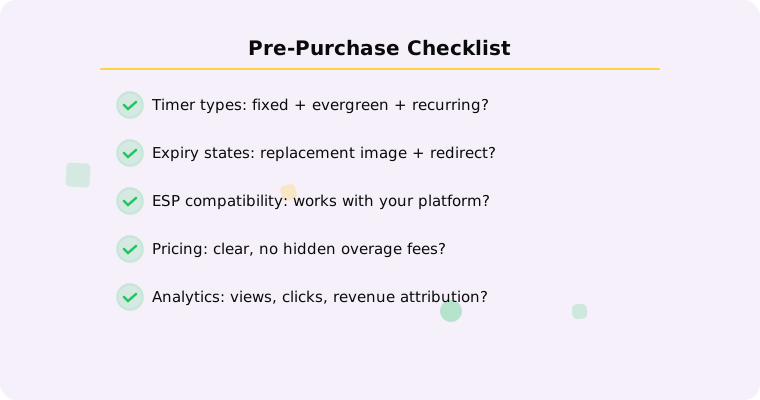
Before comparing specific platforms, establish what matters for your use case. Not every feature matters equally, and the "best" tool depends entirely on how you plan to use timers.
Timer types supported
The most basic distinction. A fixed deadline timer counts down to a single date and time — everyone sees the same deadline. An evergreen timer creates per-recipient deadlines based on when someone triggers an action (signup, cart abandonment, trial start). A recurring timer auto-resets on a schedule for weekly or monthly promotions.
If a tool only offers fixed timers, it can’t support automated flows — which is where the biggest revenue opportunity lives. According to Omnisend, automations drive 30% of email revenue from just 2% of sends. Any tool you choose should support all three types.
Expiry state handling
This is the most underrated evaluation criterion. According to Litmus research, 1 in 6 marketing emails never reach the inbox on time. Apple’s Mail Privacy Protection affects 50–60% of recorded opens. A meaningful percentage of your audience will open the email after the deadline — and what they see determines whether that open is wasted or converted.
Look for: configurable replacement images, alternative CTAs, redirect URLs for post-expiry clicks, and automatic switching (no manual intervention needed). See our post-expiry guide for why this matters more than most feature comparisons suggest.
Rendering reliability
The timer needs to work across email clients. According to Designmodo’s 2025 data, Apple Mail holds 51.52% of email client market share, Gmail 26.72%, and Outlook 7.06%. Each handles animated GIFs differently — Apple Mail caches aggressively, Gmail proxies images, and Outlook desktop shows only the first frame.
A good tool handles these automatically: optimised GIF sizes, transparent backgrounds for dark mode, informative first frames for Outlook, and HTTPS delivery. Test any tool across clients before committing. See our inbox support guide for the full compatibility matrix.
Design customisation
At minimum: colours, font, and size. Better tools offer: background options (transparent for dark mode), label formatting, first-frame control, responsive sizing for mobile (55% of opens), and template libraries for quick setup. See our 12 design templates for what good timer design looks like.
ESP compatibility
Any tool that outputs an image URL works with any ESP. The standard approach is pasting an <img> tag into your email template. But deeper integrations — like Klaviyo Universal Content Blocks, direct embed buttons for Mailchimp, or CRM-linked tracking in HubSpot — save time and improve workflow.
Pricing transparency
Timer tools price based on views, emails sent, active timers, or feature tiers. Look for clear, predictable pricing without hidden overage charges. If the free tier has branding or feature limitations, understand exactly what those are before you invest time building campaigns around it.
Analytics and measurement
Timer view counts, click tracking, and conversion attribution. Without analytics, you can’t A/B test timer effectiveness or justify the investment. The best tools integrate with your ESP’s revenue tracking for end-to-end measurement.
The market in 2026
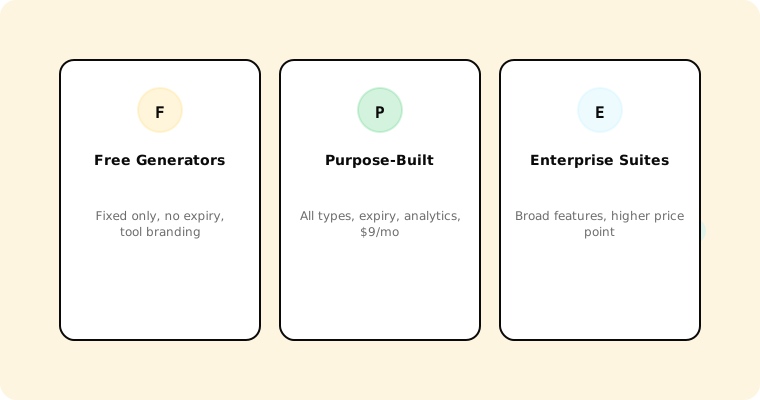
The email countdown timer market includes tools at every price point. Here’s how to think about the categories:
Free generators (Sendtric, etc.)
Fixed-deadline timers only. No evergreen support. Limited or no expiry state control. Third-party branding. No analytics. Good for testing whether timers work for your audience; insufficient for production use in automated flows. See our Sendtric comparison for details.
Purpose-built timer platforms (Tickvio, Countdown Builder)
Full timer type support (fixed, evergreen, recurring). Configurable expiry states. Design customisation. Analytics. ESP integrations. Pricing based on timer views. Best for marketers who use countdown timers as a core part of their email strategy.
Dynamic content platforms (NiftyImages, Movable Ink)
Countdown timers are one feature within a broader dynamic email personalisation suite. If you also need personalised product images, merge-tag-driven content, and real-time data in emails, these platforms offer more breadth. If you only need timers, you may be paying for features you don’t use. See our NiftyImages comparison.
ESP-native features
Some ESPs offer basic built-in countdown timers. These are typically limited: fixed deadline only, minimal design options, no expiry states. Convenient if your needs are basic, but insufficient for evergreen automations or sophisticated campaigns.
Why Tickvio
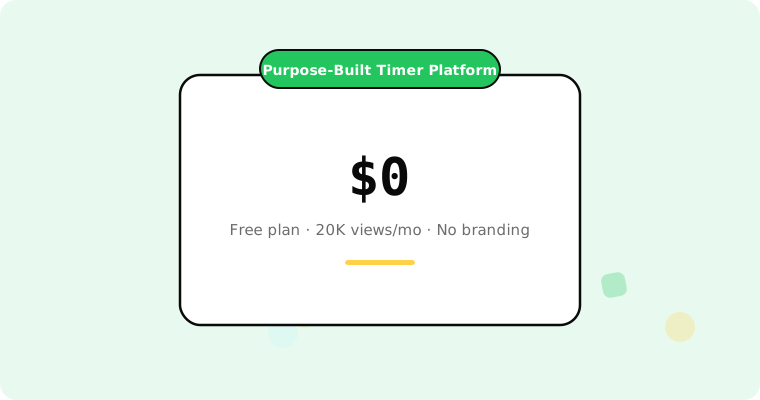
Tickvio is a purpose-built countdown timer platform for email marketers. Here’s what it offers across the evaluation criteria above:
All three timer types: Fixed, evergreen, recurring. Use in campaigns, automations, and repeating promotions.
Full expiry state control: Replacement images, alternative CTAs, redirect URLs. Automatic switching — configure once, runs forever.
Inbox-optimised rendering: Optimised GIF sizes, transparent backgrounds, informative first frames for Outlook, HTTPS delivery.
Full design customisation: Colours, fonts, sizes, backgrounds, dark mode support.
Works with any ESP: Klaviyo, Mailchimp, ActiveCampaign, HubSpot, and 50+ more.
Transparent pricing: Free plan with 20,000 views/month, no branding. Paid plans from $9/month.
Built-in analytics: View counts, click tracking, ESP integration for revenue attribution.
Get started
Create a free countdown timer and test it against your current setup — no credit card required. Two minutes to create, one URL to embed, works across every ESP. Follow our best practices to maximise the impact.