
Limited-Time Events Don't Wait for Latecomers. Neither Should Your Email.
Gaming and entertainment brands use Tickvio countdown timers to drive in-game event deadlines, limited DLC sale windows, and season pass cutoffs that convert players and subscribers before the event ends or the offer closes.
Industry
- 53%
- Higher event participation rate when limited-time event email shows a timer
- 47%
- Higher DLC purchase rate when flash sale countdown appears in the email
- 41%
- More season pass conversions when early-access price deadline timer is visible
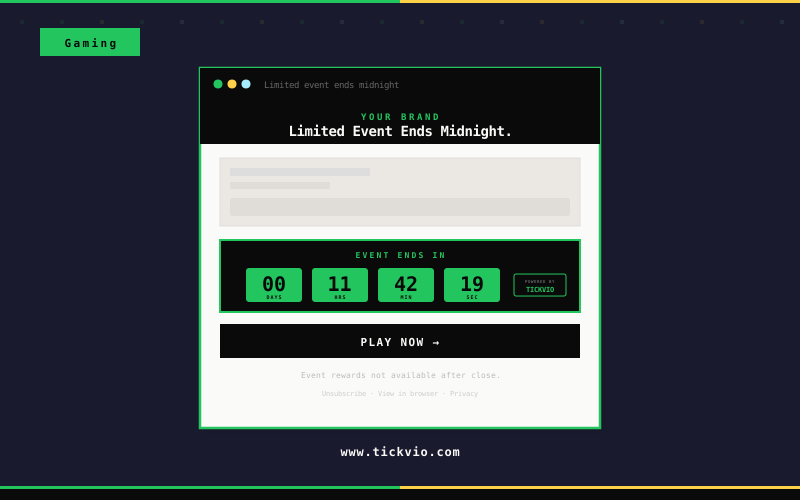
Gaming Email Subscribers Miss Limited Events and Sales When No Deadline Appears in the Email
Gamers are highly engaged but surrounded by competing content. A game launch email or seasonal event notification without a visible deadline gets buried under the next notification, stream, or social post. The pre-order window closes, the early access period starts without them, and the limited cosmetic drop sells out.
A live countdown timer cuts through the noise. When a gamer sees hours ticking on a pre-order close, a seasonal event ending, or a limited-time bundle expiry, they act immediately rather than planning to deal with it later.
The fundamental issue is that text-based urgency has been devalued by overuse. Subscribers have seen 'limited time!' and 'ends soon!' so many times that the words carry no weight. A live countdown timer is materially different — it's a visual, animated proof point that the deadline is real, specific, and actively expiring as the subscriber watches. The timer doesn't make a claim about urgency; it demonstrates it.
How Gaming & Entertainment brands use timers
Limited-Time Event Deadline Timers
Show a countdown to when a limited-time in-game event closes. Players who see hours remaining on seasonal content, special raids, or exclusive shops log in and engage before the window passes.
Season Pass & Battle Pass Cutoffs
Display when season pass or battle pass early-bird pricing expires. Competitive players who see the deadline approaching commit purchases faster to ensure they don't miss progression rewards.
DLC & Expansion Flash Sale Windows
Embed a timer on DLC and expansion flash sales. Time-limited discounts on additional content drive higher conversion when the countdown is visible — players act on impulse rather than adding it to a wishlist.
Early Access & Pre-Order Close Timers
Count down to when early access or pre-order bonuses expire. Dedicated fans who see the pre-order window closing commit purchases to secure exclusive in-game items, skins, or priority access.
In-Game Currency Sale Deadlines
Run a timer on in-game currency or virtual goods sales. Players who see a deadline on discounted currency bundles purchase immediately rather than waiting for another sale that may not come.
Subscription Renewal Offer Windows
Show when a subscription renewal discount or loyalty bonus offer expires. Recurring subscription games retain more players when the renewal incentive has a visible, ticking deadline attached.
Campaign ideas
| Campaign | What gets personalized | Impact |
|---|---|---|
| Limited Event Ends | Live timer to when a limited-time in-game event closes forever | AVG. +53% EVENT PARTICIPATION RATE |
| Season Pass Sale Closing | Countdown to end of season pass at the discounted early-access price | AVG. +41% SEASON PASS CONVERSION |
| DLC Flash Sale Ends | 48-hour timer on a DLC bundle at limited-time discount | AVG. +47% DLC PURCHASE RATE |
Timer templates
Proven layouts for Gaming & Entertainment — each drops into any ESP as a single image URL.
Your brand
Limited-time offer inside
Dark neon-accent block timer
limited-time event and DLC flash sale emails. Matches the high-energy visual language of gaming.
Your brand
Limited-time offer inside
Minimal timer
cleaner format for season pass and early access deadline emails where the timer supports rather than dominates.
Your brand
Limited-time offer inside
Pill compact timer
suits in-game currency sale and subscription renewal offer emails within mobile-optimised layouts.
Gaming audiences are among the most deadline-aware consumers — they already think in terms of limited-time events, seasonal passes, and pre-order windows. Tickvio countdown timers translate that in-game urgency into the email channel, making pre-order close dates, seasonal event endings, and limited-edition bundle expiry dates visible where the purchase decision happens.
Tickvio’s timer renders as an animated GIF that works in Gmail, Apple Mail, Yahoo, Outlook (static fallback), and every major mobile email client. No JavaScript, no iframes, no compatibility concerns. The timer updates on every open, showing the accurate remaining time whether the subscriber opens the email five minutes or five days after send. For brands using Klaviyo, Mailchimp, Omnisend, ActiveCampaign, or any other ESP — the embed is a single line of HTML that drops into any template.
Explore how other industries use Tickvio countdown timers: Electronics & Tech, Toys & Hobbies, and Subscription Boxes. Or get started with your first timer in under five minutes — see a live demo to preview how it looks in your email.
Braze · Iterable · Mailchimp · SendGrid · ActiveCampaign · HubSpot · Klaviyo · Campaign Monitor · Emarsys · Salesforce Marketing Cloud
First name · Platform · Game title · Subscription status · Season pass expiry · Event participation status · Loyalty tier · In-game currency balance
Frequently asked questions
Can I use countdown timers to drive players back into the game for a limited event?
Will the timer work in game platform emails or custom game developer email systems?
Can I use timers for battle pass or season pass expiry notifications?
Can I show different timers for different platform stores in the same email?
Ready to add urgency
to every send?
Your first timer takes less time than reading this sentence. Free plan. No credit card. No kidding.
Free plan includes 20,000 views/mo · No credit card required