
Exclusive Pieces. Real Deadlines. Better Conversion.
Jewelry brands use Tickvio countdown timers to drive gifting season urgency, limited collection closes, and order-by deadlines that turn browsers into buyers.
Industry
- 47%
- Higher gifting season conversion when order-by email shows a live countdown
- 55%
- Higher sell-through on limited-run pieces when countdown appears in launch email
- 3 days
- Faster average purchase decision for jewelry when an email deadline is visible
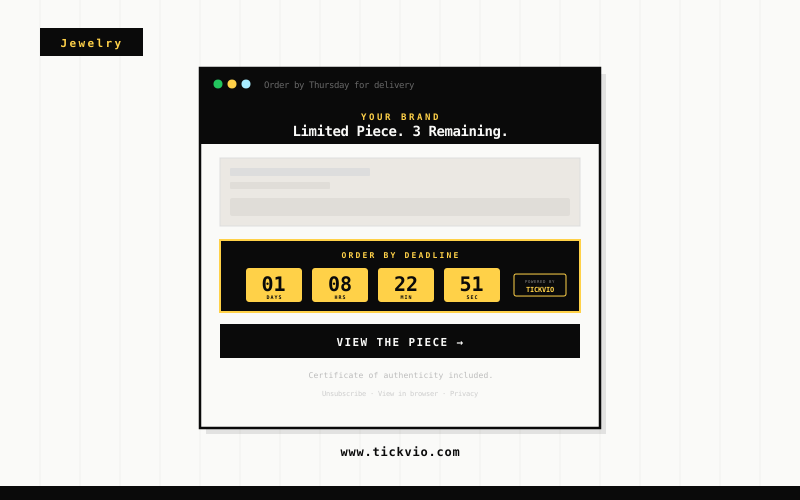
Jewelry Email Browsers Delay Because No One Shows Them a Deadline
Jewelry is a high-consideration gifting category where shoppers research, compare, and revisit products multiple times before purchasing. Without a visible deadline, that consideration phase stretches indefinitely — and the subscriber buys from whoever shows them a reason to act now.
A live countdown timer gives jewelry browsers the final push. When a subscriber sees hours ticking on a holiday delivery cutoff, a limited collection close, or a personalisation deadline, the purchase decision moves from 'someday' to 'today.'
The fundamental issue is that text-based urgency has been devalued by overuse. Subscribers have seen 'limited time!' and 'ends soon!' so many times that the words carry no weight. A live countdown timer is materially different — it's a visual, animated proof point that the deadline is real, specific, and actively expiring as the subscriber watches. The timer doesn't make a claim about urgency; it demonstrates it.
How Jewelry brands use timers
Order-By Delivery Guarantee Timers
Show a live countdown to when a limited collection or exclusive piece becomes unavailable. Collectors who see the purchase window ticking commit to high-value pieces during the emotional peak of a new release announcement.
Limited Collection Close Countdowns
Embed a timer on gifting season order-by deadlines — Valentine's Day, Mother's Day, Christmas. Gift shoppers who see exact hours remaining to guarantee delivery purchase immediately rather than risking a late arrival.
Valentine's & Mother's Day Sale Deadlines
Display a countdown on engraving or personalisation cutoff dates. Custom jewelry orders require production lead time — a visible timer on the personalisation deadline drives orders before the window closes and standard delivery takes over.
Custom Order Booking Windows
Run a timer on VIP early access windows for new collections. Loyalty members who see their exclusive preview window shrinking purchase at significantly higher rates than when the same access is communicated without a deadline.
Engraving Cutoff Timers
Show a countdown on seasonal sale or private shopping event windows. Jewelry shoppers who see a visible deadline on a private sale or trunk show access commit purchases faster than those receiving an open-ended invitation.
Pre-Order Close Countdowns
Embed a timer on flash sale and sample sale windows. The compressed time frame — 24 or 48 hours — combined with a live countdown creates the urgency that moves considered jewelry purchases from 'maybe' to 'purchased.'
Campaign ideas
| Campaign | What gets personalized | Impact |
|---|---|---|
| Order By for Guaranteed Delivery | Timer showing hours left to order and receive before the gifting holiday | AVG. +47% GIFTING SEASON CONVERSION |
| Limited Piece Closing | Countdown to the final close date of a 25-piece limited run | AVG. +55% LIMITED PIECE SALES |
| Valentine's Day Countdown | Live timer counting down to final order deadline with gift wrapping | AVG. +43% SEASONAL REVENUE |
Timer templates
Proven layouts for Jewelry — each drops into any ESP as a single image URL.
Your brand
Limited-time offer inside
Elegant minimal timer
refined and precious, suited to limited collection close and order-by gifting season deadline emails.
Your brand
Limited-time offer inside
Classic block timer
clear and prominent, ideal for Valentine's Day and Christmas order-by deadline campaigns.
Your brand
Limited-time offer inside
Pill compact timer
works for engraving cutoff and custom commission order close emails within clean jewelry brand templates.
Jewelry is a high-consideration gifting category where timing is everything. Order-by deadlines for gifting seasons, limited collection close windows, and engraving cutoffs are all genuine urgency moments that Tickvio countdown timers make visible. A live timer on an order-by deadline for Mother’s Day or a 25-piece limited run close consistently drives purchases that text-only deadline messages fail to convert.
Tickvio’s timer renders as an animated GIF that works in Gmail, Apple Mail, Yahoo, Outlook (static fallback), and every major mobile email client. No JavaScript, no iframes, no compatibility concerns. The timer updates on every open, showing the accurate remaining time whether the subscriber opens the email five minutes or five days after send. For brands using Klaviyo, Mailchimp, Omnisend, ActiveCampaign, or any other ESP — the embed is a single line of HTML that drops into any template.
Explore how other industries use Tickvio countdown timers: Luxury Goods, Gifts & Personalized Products, and Fashion & Apparel. Or get started with your first timer in under five minutes — see a live demo to preview how it looks in your email.
Klaviyo · Mailchimp · ActiveCampaign · Omnisend · Brevo · Attentive · Postscript · Campaign Monitor · Drip · Flodesk
First name · Last purchase · Gift recipient · Engraving cutoff date · Order-by deadline · Loyalty tier · Anniversary date · Limited edition reference
Frequently asked questions
How do I show an order-by deadline that accounts for shipping time?
Can I style the timer to match our fine jewelry brand aesthetic?
Do countdown timers work for high-ticket jewelry that takes longer to decide on?
Can I use this for custom engraving or personalised piece order windows?
Ready to add urgency
to every send?
Your first timer takes less time than reading this sentence. Free plan. No credit card. No kidding.
Free plan includes 20,000 views/mo · No credit card required