
Order-By Deadlines Are Your Biggest Conversion Lever. Use Them.
Gift and personalized product brands use Tickvio to show live countdown timers for order-by deadlines, personalization cutoff dates, and holiday delivery windows that convert gift shoppers before it's too late.
Industry
- 58%
- Higher holiday conversion when order-by deadline email shows a live timer
- 43%
- More personalised orders when the customisation cutoff timer appears in email
- 2.1×
- Higher gifting season revenue for brands showing order-by timers in emails
Gift Shoppers Abandon When They Can't See If There's Still Time to Order
Gift shoppers plan ahead but purchase last-minute. They save your email, bookmark the product page, and fully intend to order — until the delivery cutoff passes and they scramble for a gift card instead. Without a visible deadline, every 'order by' date feels like a suggestion rather than a hard constraint.
A live countdown timer transforms gift deadlines from suggestions into visual urgency signals. When a shopper sees hours ticking on a 'guaranteed delivery by Valentine's Day' cutoff, they complete the order immediately rather than risking it for tomorrow.
The fundamental issue is that text-based urgency has been devalued by overuse. Subscribers have seen 'limited time!' and 'ends soon!' so many times that the words carry no weight. A live countdown timer is materially different — it's a visual, animated proof point that the deadline is real, specific, and actively expiring as the subscriber watches. The timer doesn't make a claim about urgency; it demonstrates it.
How Gifts & Personalized Products brands use timers
Order-By Deadline Countdown Timers
Show the exact moment the order-by deadline passes for guaranteed delivery. Gift buyers who see a live countdown on shipping cutoffs purchase immediately rather than risking a late arrival.
Personalization Cutoff Windows
Display when personalisation orders close — engraving, monogramming, or custom printing. Production lead times create genuine deadlines that shoppers respect when they're visibly ticking.
Holiday Delivery Guarantee Timers
Embed a timer on the last-order-by date for holiday delivery. Christmas, Valentine's Day, Mother's Day — every gift-giving holiday has a shipping deadline that drives urgent purchasing.
Last-Minute Gift Section Deadlines
Count down to when a last-minute gift section or express shipping window closes. Even procrastinators act when they see the final hours ticking on their only remaining option.
Bundle & Gift Set Sale Windows
Run a timer on gift set bundles and curated collections. Limited-time bundle pricing with a visible countdown drives higher AOV from shoppers looking for convenient, ready-made gift solutions.
Corporate Gift Order Cutoffs
Show when corporate gift order cutoffs close. Bulk personalisation and delivery scheduling require advance ordering — a timer makes the procurement deadline visible to business buyers.
Campaign ideas
| Campaign | What gets personalized | Impact |
|---|---|---|
| Order by Christmas Deadline | Live timer to the last order date for guaranteed Christmas delivery | AVG. +58% HOLIDAY CONVERSION |
| Personalisation Cutoff | Countdown to the last day personalisation can be added to an order | AVG. +43% PERSONALISED ORDER RATE |
| Valentine's Day Order Deadline | Timer to the last order date for guaranteed Valentine's Day delivery | AVG. +51% GIFTING SEASON REVENUE |
Timer templates
Proven layouts for Gifts & Personalized Products — each drops into any ESP as a single image URL.
Your brand
Limited-time offer inside
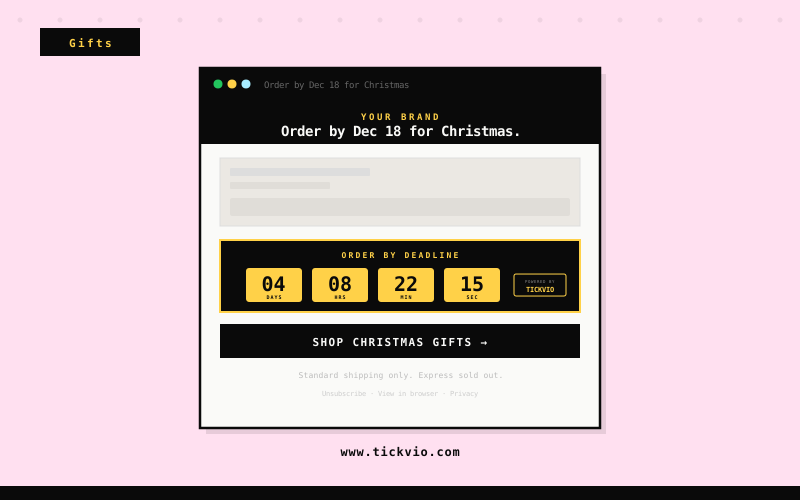
Bold yellow block timer
Christmas and Valentine's order-by deadline emails. Maximum visibility for high-stakes gifting season cutoffs.
Your brand
Limited-time offer inside
Minimal timer
clean and reassuring, suited to personalisation cutoff and engraving deadline emails.
Your brand
Limited-time offer inside
Pill compact timer
ideal for last-minute gift section and corporate order cutoff emails within concise template layouts.
Gift shoppers are uniquely deadline-driven — the occasion is fixed, the delivery window is non-negotiable, and the consequence of missing the cutoff is a failed gift. Tickvio countdown timers make ‘order by’ deadlines, personalisation cutoffs, and seasonal shipping windows visible inside the email where the purchase decision happens. Gift brands that show live timers on order-by emails consistently see higher same-day conversions than those relying on text-only deadline messaging.
Tickvio’s timer renders as an animated GIF that works in Gmail, Apple Mail, Yahoo, Outlook (static fallback), and every major mobile email client. No JavaScript, no iframes, no compatibility concerns. The timer updates on every open, showing the accurate remaining time whether the subscriber opens the email five minutes or five days after send. For brands using Klaviyo, Mailchimp, Omnisend, ActiveCampaign, or any other ESP — the embed is a single line of HTML that drops into any template.
Explore how other industries use Tickvio countdown timers: Jewelry, Baby & Kids, and Wine & Spirits. Or get started with your first timer in under five minutes — see a live demo to preview how it looks in your email.
Klaviyo · Mailchimp · Omnisend · ActiveCampaign · Attentive · Brevo · Postscript · SendGrid · Drip · Campaign Monitor
First name · Shipping speed preference · Last purchase date · Personalisation type · Order reference · Corporate account · Gift recipient · Loyalty tier
Frequently asked questions
Can I show different timers for different shipping speeds in the same email?
Can I use timers for personalisation cutoff dates specifically?
Will the timer update in real time when the subscriber opens the email days later?
Can I use countdown timers for corporate or B2B gift orders?
Ready to add urgency
to every send?
Your first timer takes less time than reading this sentence. Free plan. No credit card. No kidding.
Free plan includes 20,000 views/mo · No credit card required